Self-service kiosk
The in-venue experience for booked customers and walk-ins.
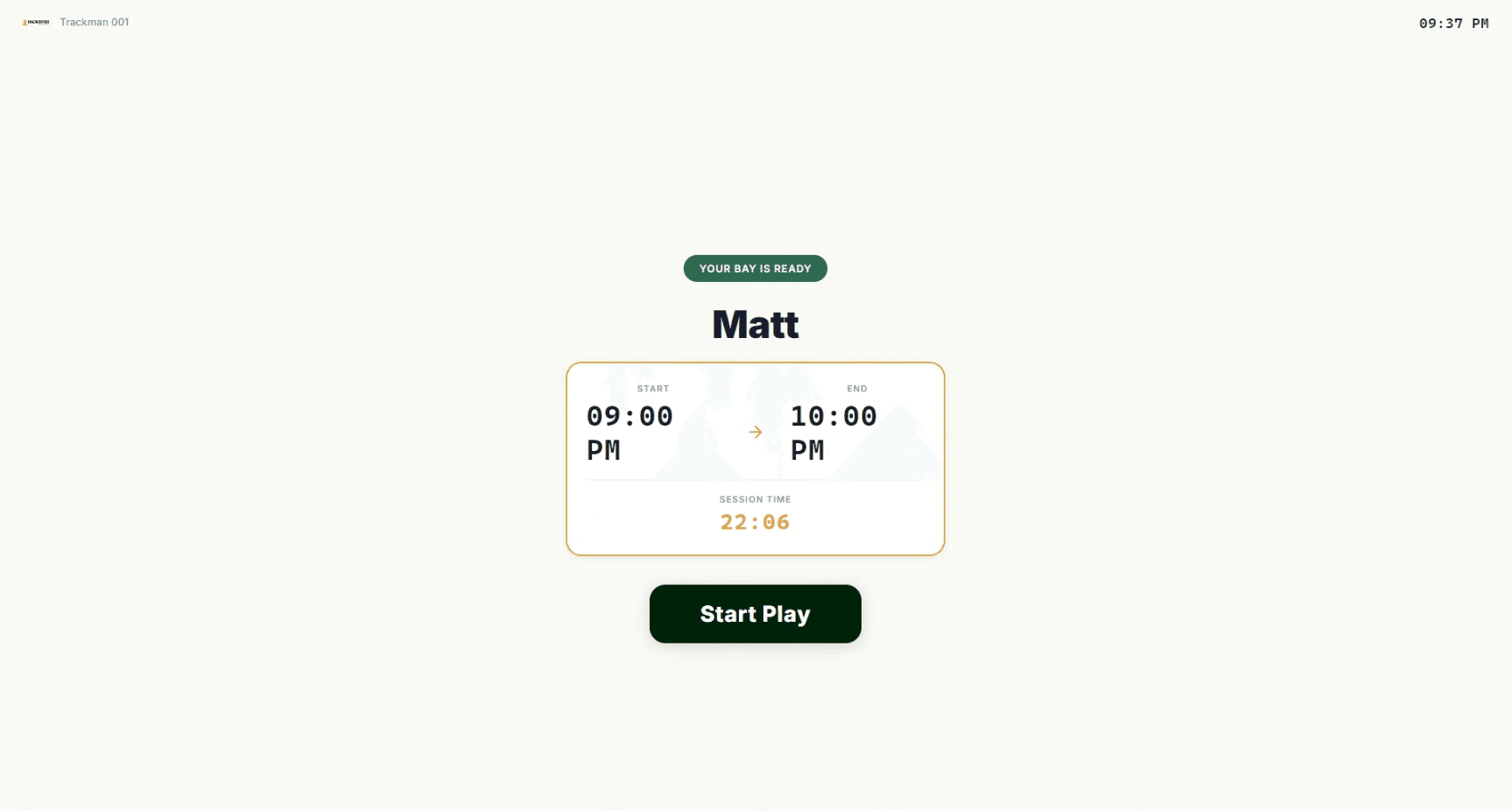
Booked customers tap their confirmation (from the online booking system), check in, and start play in under 60 seconds. Walk-ins book on the same screen. During the session, the kiosk shows your branded leaderboards and lets customers extend their bay if the next slot is free. The kiosk is one of four products on the Simbook platform.
Built to integrate with the systems your venue already runs on
- Trackman
- GSPro
- Uneekor
- Foresight
- Square
- Stripe
What's inside
An on-site experience designed around the booking, not just the payment
Tap-in for booked customers
Customers who booked online tap their confirmation (QR, member ID, or saved card) and the kiosk hands them their bay. Sub-60-second check-in to bay start.
Walk-in booking on the same kiosk
Walk-ins pick a bay, pay with tap-to-pay or wallet, sign the waiver, and start play. Same operating model as the online booking, no parallel system to maintain.
Mid-session extensions
Customers tap to extend their bay from the kiosk. If the next slot is free, the system grants and bills it automatically. If not, the customer sees a polite wrap-up prompt.
Branded leaderboards and promotions
Daily, weekly, and monthly leaderboards. Member rankings, league standings, and on-brand promotions shown on the kiosk between sessions and during downtime.
Door, locker, and bay-power unlock
The kiosk integrates with smart locks, lockers, and bay-power so check-in physically opens what the customer needs, no staff intervention.
Waivers, age gates, and identity
Configurable waiver, age verification, and identity flow. Signed digitally and stored against the customer record for the lifetime of the membership.
The session lifecycle
From check-in to bay turnover, all on one kiosk.
The kiosk runs the full in-venue lifecycle. Check in for a booking. Start the session. See your live timer and the leaderboard. Tap to extend if you want more time. Wrap up cleanly when your slot ends. The bay flips automatically for the next customer. For a full setup guide, read our golf simulator kiosk checklist.
- Live session timer visible on the kiosk and member portal
- One-tap extension when the next slot is free
- Auto-prep for the next booking on session end
- Branded receipts and post-session prompts (review, rebook, leaderboard)
What the kiosk replaces
- <60sBooking tap-in to bay start
- LiveSession timer + extension flow
- BrandedLeaderboards and promotions
- Door+BayAuto-unlocked on check-in
Explore the platform
Pair the kiosk with the rest of the platform
FAQ
Common questions from venue operators
What hardware do I need?+
Most venues run the kiosk on an iPad or Android tablet with a card reader. Dedicated kiosk PCs are also supported. We help you choose during onboarding based on your venue layout and traffic.
How do customers extend their session?+
From the kiosk (or member portal). One tap requests an extension. If the next slot on that bay is free, the system grants and bills it automatically. If not, the customer sees a wrap-up prompt and the bay prepares for the next booking.
Can the kiosk show our branding and leaderboards?+
Yes. The kiosk is white-label: your colors, logo, and copy. Daily, weekly, and monthly leaderboards, member rankings, league standings, and venue-promoted offers are all shown on-brand between sessions.
Can the kiosk unlock doors, lockers, and bay-power?+
Yes. We integrate with major smart-lock, locker, and bay-power systems so check-in physically unlocks what the customer needs. Standard for self-service and 24/7 venues.
What happens if the internet goes down?+
The kiosk is offline-tolerant for short outages. It queues check-ins and syncs when the connection returns. For sustained outages, operators are alerted via the control room and can take action remotely.
Which simulator software does the kiosk work with?+
Any. The kiosk is sim-software-agnostic. It authenticates the customer, validates the booking, unlocks the bay, and starts the session timer. Whatever runs on the bay PC (Trackman, GSPro, Uneekor, Foresight, E6, TruGolf, Awesome Golf, a custom PC sim, or a mixed stack across bays) picks up from there.
What happens if the kiosk has an issue at our venue?+
A real person picks up. Simbook is a support partner, not just a software vendor. Phone support is available for venue managers and their customers, and our team can troubleshoot kiosk hardware, simulator software, launch monitors, bay PCs, door / locker access, and operational setup. Most issues get resolved on the call, not via a ticket queue.
See the kiosk on your venue.
A 30-minute walkthrough on your venue layout, hardware, and the way your booked customers actually arrive.